Unlocking every possible arrangement from a given set of items can be a game-changer for everything from planning events and analyzing data to developing software. Imagine a tool that instantly transforms your raw lists into every conceivable outcome, removing guesswork and manual effort. Our All Possible Combinations Generator is precisely that solution – a powerful, intuitive hub designed to explore, create, and manage every list combination imaginable, quickly and efficiently.
This isn't just a simple list maker; it's a versatile engine that adapts to your specific needs, whether you're building product SKUs, generating test cases, or simply exploring creative possibilities. From the most straightforward pairings to complex, multi-variable arrangements, this generator empowers you to see the full spectrum of options.
Master the Art of Generation: Understanding the Modes
The core power of our tool lies in its four distinct generation modes, each tailored for different scenarios. Choosing the right mode is crucial for getting the exact results you need, ensuring your output is meaningful and relevant. To truly grasp the mathematical underpinnings of these options, you might want to Core combinatorics for developers Learn combinatorics.
1. Combinations
This is the default mode, perfect when the order of your items doesn't matter. If you're picking a team of three from a list of ten people, "Alice, Bob, Carol" is considered the same as "Bob, Alice, Carol." It's about the unique groups formed, not their sequence.
2. Permutations
When order is paramount, switch to Permutations. Here, "A, B" and "B, A" are treated as distinct results. This mode is essential for scenarios where arrangement signifies a different outcome, like ordering items in a sequence or assigning roles.
3. Combinations with Repetition
Need to pick items where duplicates are allowed, but the order still doesn't matter? This mode is your answer. Think of choosing "k" toppings for a pizza, where you might pick double pepperoni, or generating "k" digits where numbers can repeat. It's ideal for selections with replacement, expanding your possibilities significantly.
4. Cartesian Product
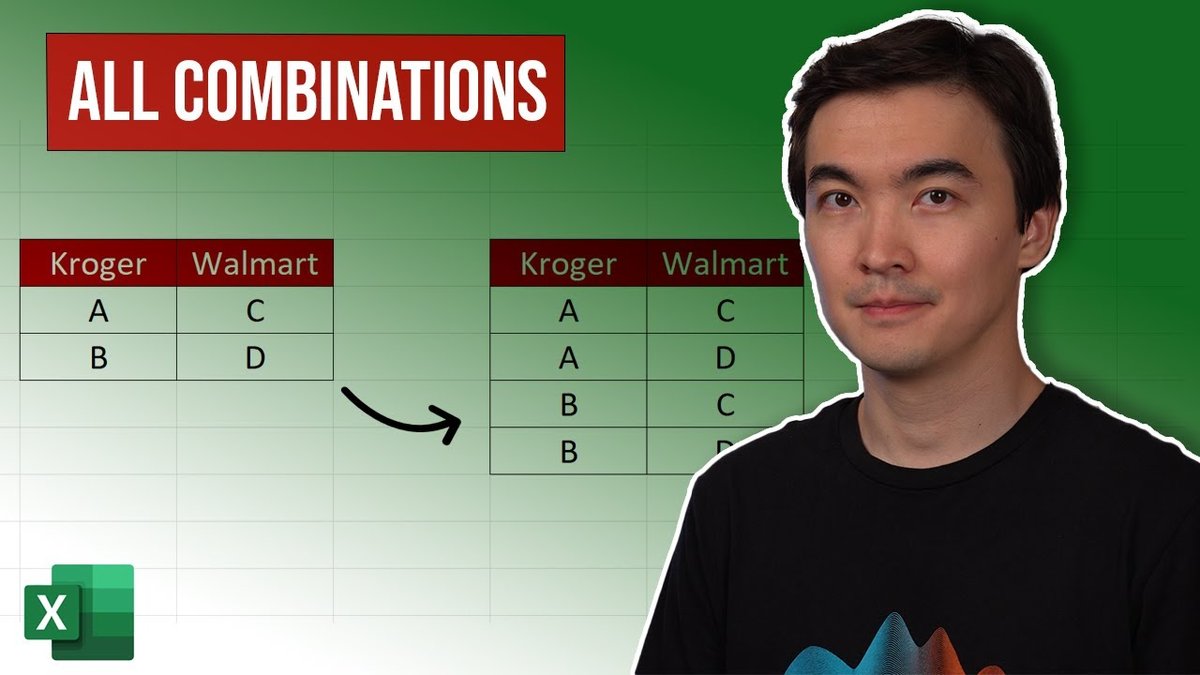
Unique among the modes, the Cartesian product excels when you have multiple distinct lists and need to pick exactly one item from each. This is invaluable for constructing structured data rows, such as generating all possible product variants (size from list A, color from list B, material from list C), creating unique identifiers (SKUs), or building comprehensive option bundles. You’re effectively building a cross-reference of every choice across your provided categories.
Tailoring Your Output: Generation Settings and Input Flexibility
Beyond the fundamental generation modes, our tool provides granular control over how your items are processed and the results are structured. This ensures you get precisely what you expect, without unnecessary clutter.
Defining Result Length
In Combinations mode, "All lengths (1..n)" is the default, generating every non-empty subset from single items up to the full set. However, if you only need results of a specific size, such as pairs or triples, simply switch to "Exact k" and specify the desired length. For permutations, "All lengths (1..n)" means every possible ordered sequence of any length. Remember, the length must always be 1 or more, and if "Allow repetition" is off, the length cannot exceed your item count.
Smart Input Processing
Entering your items is straightforward. You can paste them one per line or as a comma-separated list. The "Split items by" setting intelligently parses your input, allowing you to choose between automatic detection, new lines, commas, or semicolons. Further refinement comes with "Trim spaces" to remove unwanted whitespace and "Ignore empty lines" to keep your list clean. For accurate counts and preventing inflated results, "Remove duplicate items" is enabled by default. If duplicate items have distinct meanings in your context, disable this and differentiate them manually (e.g., "Red (A)" and "Red (B)").
Presenting Your Data: Formatting and Previews That Work for You
Once your combinations are generated, how they appear is just as important. Our formatting options ensure your output is clear, usable, and ready for its next destination.
The "Separator" option controls how individual items are joined within each result (e.g., using ", " or " | "). For templating or specific data formats, you can add a "Prefix" and "Suffix" to every generated line. For Cartesian product results, you have the flexibility to export as plain TXT (one result per line) or as CSV, which is ideal for direct import into Excel or Google Sheets, with each list item getting its own column.
Before committing to a full download, you can quickly verify your setup. "Total possible results" provides the mathematical count of all potential outcomes, while "Will generate" shows the actual number of results the tool will produce (especially useful when hitting performance limits). "Preview output" instantly displays the first portion of your results for a quick check. All output is presented with one group per line, in a stable, consistent order, and includes a helpful counter for the total.
Taking Control of Big Jobs: Performance and Limits
Generating every possible combination can, understandably, lead to truly massive datasets. Our tool is built with performance in mind, but also includes safeguards to ensure a smooth user experience.
The "Generate" button kicks off the process, while "Pause" and "Resume" give you control over large exports, allowing you to manage resources without losing progress. If you need to stop a run entirely, "Stop" is available. For smaller outputs, "Copy" provides an instant way to grab your results. For anything substantial, "Download" exports your combinations directly to a file. Finally, "Clear" resets the output area, and "Copy to Clipboard" facilitates easy sharing or pasting into other applications.
Crucially, the generator caps each run at 5,000,000 lines to maintain browser responsiveness and prevent crashes. If your total possible results exceed this, the tool will generate the first 5 million. For those tackling truly massive datasets and seeking ways to Optimize generation performance, our dedicated guide offers advanced strategies. If you face a large total, consider using "Exact k," reducing your initial item count, switching to a mode that produces fewer results, or generating in smaller batches. Be aware that "Permutations + All lengths" can grow exponentially quickly due to the multiplying effect of order across multiple lengths. Large input lists may also take some time to display, so patience is key.
Getting Started: A Quick Step-by-Step Guide
Using the generator is intuitive, designed to get you from input to insight in just a few steps:
- Enter your items: Type or paste your items, separated by commas or on new lines.
- Choose your generation mode: Select Combinations, Permutations, Combinations with Repetition, or Cartesian Product based on your need.
- Define result length (if applicable): Choose "All lengths" or specify an "Exact k."
- Allow repetition (if needed): Check this option if items can appear multiple times in a result.
- Click "Generate": Watch your combinations appear instantly.
- Copy or Download: Use "Copy to Clipboard" for small sets or "Download" for larger exports.
Why This Tool Matters: Benefits and Real-World Applications
This combination generator isn't just a technical utility; it's a productivity multiplier. It drastically saves time by automating tedious manual work, reduces errors inherent in human tabulation, and provides clear, shareable results. From students exploring statistical possibilities to analysts building complex models, event planners creating seating charts, and testers developing comprehensive scenario sets, the benefits are broad and impactful.
Common use cases include:
- Team Pairing: Creating all possible two-person, three-person, or larger teams from a roster.
- Menu Pairings: Generating every possible appetizer-main course-dessert combination.
- Product Bundles: Defining all unique sets of products for promotional offers.
- Study Group Picks: Listing all combinations of students for different group sizes.
- Test Scenarios: Building exhaustive test cases for software or product functionality.
- Design Mixes: Exploring name, color, or font combinations for branding or creative projects.
Beyond these examples, a deeper dive into Real-World Applications of Combination Algorithms reveals even more innovative ways that industries leverage these powerful calculations.
Pro Tips for Power Users
Maximize your efficiency and get the most out of the All Possible Combinations Generator with these expert tips:
- Keep Item Names Short: Shorter names make results easier to scan and manage, especially with large outputs.
- Start Small: If you're unsure about the total number of results, begin with a smaller "Exact k" length to get a feel for the output size before tackling larger sets.
- Repetition Only When Needed: Only turn on "Allow repetition" if your use case truly requires it, as it can significantly increase the number of results.
- Leverage Spreadsheets: Copy your results into a spreadsheet program like Excel or Google Sheets for advanced sorting, filtering, and further analysis.
- Check the Count: Always review the "Total possible results" before exporting to anticipate the scale of your output.
Beyond the User Interface: Understanding the Engine
While the generator provides a seamless user experience, there's powerful logic at play behind the scenes. If you're curious about the mechanics or even considering building your own solutions, understanding Coding Combination Generators from Scratch is a great next step. For those who prefer to build upon existing solutions, you can also Explore built-in libraries and frameworks to accelerate your development process, tapping into optimized tools and functions.
The All Possible Combinations Generator is more than just a tool; it's a gateway to uncovering every hidden possibility within your data. Whether for rapid prototyping, comprehensive analysis, or simply exploring the unknown, it stands ready to transform your lists into actionable insights.